Monster Truck vs Zombie Unblocked — Play Free Online
More Zombie Games games


Monster Truck vs Zombie unblocked: play Monster Truck vs Zombie online free right here in your browser — no download, no sign-up, works on a school Chromebook.
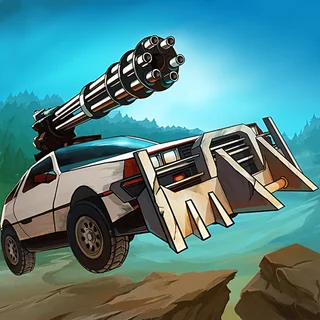
Monster Truck vs Zombie puts you behind the wheel of a heavy-duty off-road machine in a wasteland overrun by the undead. While traditional strategy games on PvZ Fusion challenge you to set up defensive plant perimeters, this action driving game lets you take the battle directly to the zombie horde with raw horsepower, oversized tires, and devastating momentum.
Each run challenges you to navigate uneven terrain, launch off steep ramps, and smash through barricades without flipping your vehicle. The physics-driven driving model means every hill, bump, and cluster of enemies impacts your speed and balance. Surviving requires constant throttle management and sharp mid-air leveling to keep your wheels firmly planted on the ground.
How to play
Navigating the hazard-filled courses requires mastering both ground acceleration and mid-air vehicle orientation:
- Accelerate: Press the Up Arrow or W key to throttle forward and ram through zombie mobs.
- Brake and Reverse: Press the Down Arrow or S key to slow down, stop, or back away from steep obstacles.
- Air Balance: Use the Left and Right Arrow keys (or A and D) to tilt your truck left or right while in the air, ensuring you land cleanly on all four tires.
- Touch Controls: On smartphones and tablets, tap the on-screen pedal icons to control acceleration, braking, and balance.
As you progress across courses, you will earn coins for distance traveled and enemies flattened. Use your prize money between runs to upgrade essential components including your engine, transmission, tire traction, and chassis armor so you can tackle tougher tracks.
Tips for clearing stages
- Level out before landing: Touching down nose-first or tail-first can bounce your truck uncontrollably or flip it onto its roof. Always adjust your tilt mid-jump to match the slope of the landing hill.
- Upgrade engine and tires first: Dense groups of zombies will quickly drag down your speed. Upgrading your horsepower and tire grip ensures you plow through crowds without losing vital forward drive.
- Carry momentum into steep hills: If you slow down right before an incline, your truck may stall and slide backward into hazards. Build a burst of speed on flat stretches before tackling steep climbs.
Similar games on PvZ Fusion
If you enjoy battling the undead across different genres, PvZ Fusion features several companion titles worth exploring. Fans of tactical lane defense can jump into the original Plants vs Zombies or Plants vs Brainrots to build strategic plant barricades. If you prefer progressive upgrades and grid-based planning, try PvZ Merge Defense or the tower defense challenges in Cursed Treasure 2.
Questions about Monster Truck vs Zombie
Is Monster Truck vs Zombie unblocked at school?
Monster Truck vs Zombie runs in an ordinary browser tab from pvzfusion.us.com, with nothing to download or install, so it plays on most school Chromebooks and work computers. If a network filter blocks the site, only that network's administrator can change it.
What are the main controls for Monster Truck vs Zombie?
Accelerate and brake using the Up and Down arrow keys or W and S. Balance your truck in mid-air with the Left and Right arrow keys or A and D to land safely.
How do upgrades work in Monster Truck vs Zombie?
You earn coins during each run based on distance covered and zombies crushed. Spend coins in the garage menu to improve engine power, tire grip, and stability.
Can I play Monster Truck vs Zombie on mobile devices?
Yes, the game runs directly in modern mobile web browsers with on-screen touch pedals for acceleration, braking, and tilting without downloading an app.
What should I do if my truck flips over?
Use the tilt keys immediately when airborne to align your chassis with the ground before landing. If you flip onto the roof, the run ends and you must restart.