Plants vs Zombies 2 Gardendless Unblocked — Play Free Online
More Plants vs Zombies games

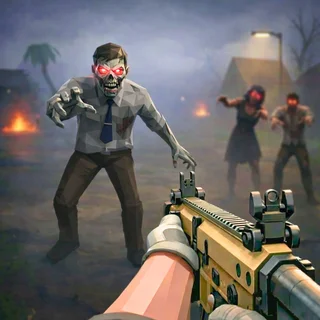

Plants vs Zombies 2 Gardendless unblocked: play Plants vs Zombies 2 Gardendless online free right here in your browser — no download, no sign-up, works on a school Chromebook.
Plants vs Zombies 2 Gardendless is a dedicated fan recreation of PopCap's hit sequel, bringing lane-defense strategy, tactical plant food mechanics, and diverse time periods directly to your web browser. If you enjoy classic lawn defense on PvZ Fusion, this project expands the familiar formula with faster waves, dynamic special abilities, and specialized zombie variants that demand quick adaptation.
Every level challenges you to guard your house against marching zombie hordes across a five-lane lawn grid. Sunlight remains the essential economy driver: you collect solar energy falling from the sky or generated by Sunflowers to seed offensive shooters, defensive walls, and explosive traps. As waves intensify, timing your placements and managing resource cooldowns determines whether your defense stands firm or collapses.
Core mechanics and plant food
The defining feature of this sequel adaptation is the Plant Food system. Defeating highlighted glowing zombies awards green energy leaves that can be dragged onto any active plant. Applying Plant Food triggers a brief, devastating special move: Peashooters unleash rapid-fire barrages, Wall-nuts gain heavy metal armor, and Sunflowers instantly produce massive bursts of sun. Saving these boosters for clustered waves or durable targets like Conehead and Buckethead zombies is crucial to surviving tough stages.
How to play
Commands are intuitive and fully accessible via mouse or touchscreen controls:
- Collect Sunlight: Click or tap falling sun tokens and sun produced by Sunflowers to build your currency pool.
- Deploy Flora: Select a plant card from the top seed conveyor and click an open tile on the lawn grid to place it.
- Trigger Plant Food: Drag collected green leaves onto any plant to activate its supercharged special ability during emergencies.
- Dig and Rearrange: Use the shovel icon to remove outdated plants and free up tiles for higher-tier defenses.
- Lawn Mower Backup: Each lane features a single-use lawn mower at the back edge that automatically wipes out a lane if zombies break through.
Tactical tips for tough waves
Defending against varied zombie types requires smart resource management and balanced grid positioning:
- Establish your economy first: Plant at least two full columns of Sunflowers in the back rows during early, slow-moving waves before investing heavily in expensive offensive units.
- Layer complementary plants: Pair slowing units like Snow Peas or freezing traps with standard Peashooters and Cabbage-pults to maximize damage dealt before enemies reach your front line.
- Hold Plant Food for emergencies: Avoid spending supercharges on single basic zombies; save them for sudden swarm rushes or heavily armored foes that threaten to overrun a lane.
- Protect vulnerable shooters: Place durable Wall-nuts or Tall-nuts in the middle and forward columns to stall incoming threats while your backline plants attack safely.
Similar tower defense games on PvZ Fusion
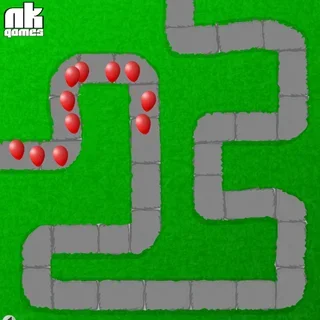
If you enjoy tactical lane battles in Plants vs Zombies 2 Gardendless, explore other companion titles across the site. The original Plants vs Zombies offers the timeless, relaxed campaign that started the series, while PvZ Merge Defense blends lane strategy with merge puzzle mechanics for a fresh tactical loop. Players looking for classic path-based tower defense can also dive into Bloons TD to test their dart-popping defenses against relentless balloon waves.
Questions about Plants vs Zombies 2 Gardendless
Is Plants vs Zombies 2 Gardendless unblocked at school?
Plants vs Zombies 2 Gardendless runs in an ordinary browser tab from pvzfusion.us.com, with nothing to download or install, so it plays on most school Chromebooks and work computers. If a network filter blocks the site, only that network's administrator can change it.
What makes Plants vs Zombies 2 Gardendless different from the original game?
Plants vs Zombies 2 Gardendless brings the mechanics of the sequel into the browser, including Plant Food supercharges, distinct historical eras, and an expanded roster of offensive and defensive flora.
How do you activate Plant Food during a wave?
Green glowing zombies drop Plant Food leaves when defeated. Drag or click the leaf to feed any planted unit on your lawn, triggering an instant supercharged attack or defense boost.
Can you play Plants vs Zombies 2 Gardendless on touchscreen devices?
Yes, the HTML5 engine supports both desktop mouse controls and touch taps on smartphones, tablets, or Chromebooks without needing any app downloads.
Is an account or installation required to play?
No registration, download, or plugin installation is required. The game launches directly within any standard desktop or mobile web browser for free.